
Audioship asks Google for the access needed to sign you in, check the connected YouTube channel, and publish videos you submit. You control which Google account is connected and can remove access from Google at any time.
What Audioship uses the connection for
- Confirm the connected account has a YouTube channel.
- Check whether the channel can upload videos longer than 15 minutes.
- Upload the video file, title, description, tags, privacy setting, and scheduled publish time you enter in Audioship.
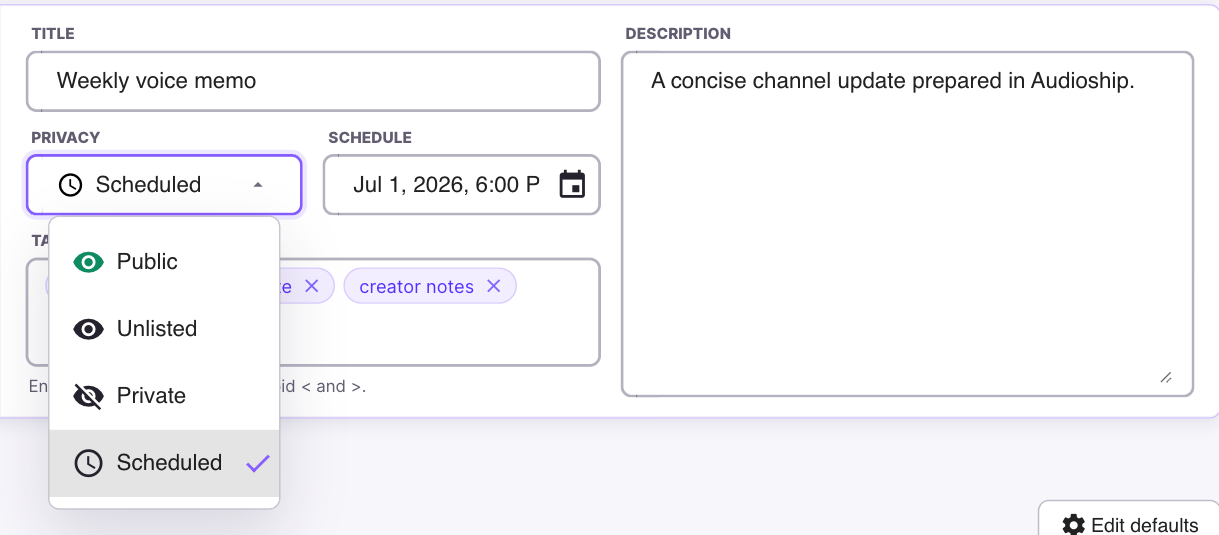
Video privacy choices
- Public: visible to anyone after YouTube finishes processing.
- Unlisted: viewable by people who have the link.
- Private: viewable only by accounts allowed in YouTube.
- Scheduled: Audioship sends the video to YouTube with a future publish time. YouTube keeps scheduled videos private until the scheduled time.
You can change privacy later in YouTube Studio. See YouTube's privacy settings and scheduled publishing guides for YouTube-side behavior.
Revoke Google access
Open Google third-party app connections, select Audioship, and remove access. This stops future uploads through Audioship until you reconnect.
Removing the Google connection does not delete videos already uploaded to YouTube. Manage or delete uploaded videos in YouTube Studio.