
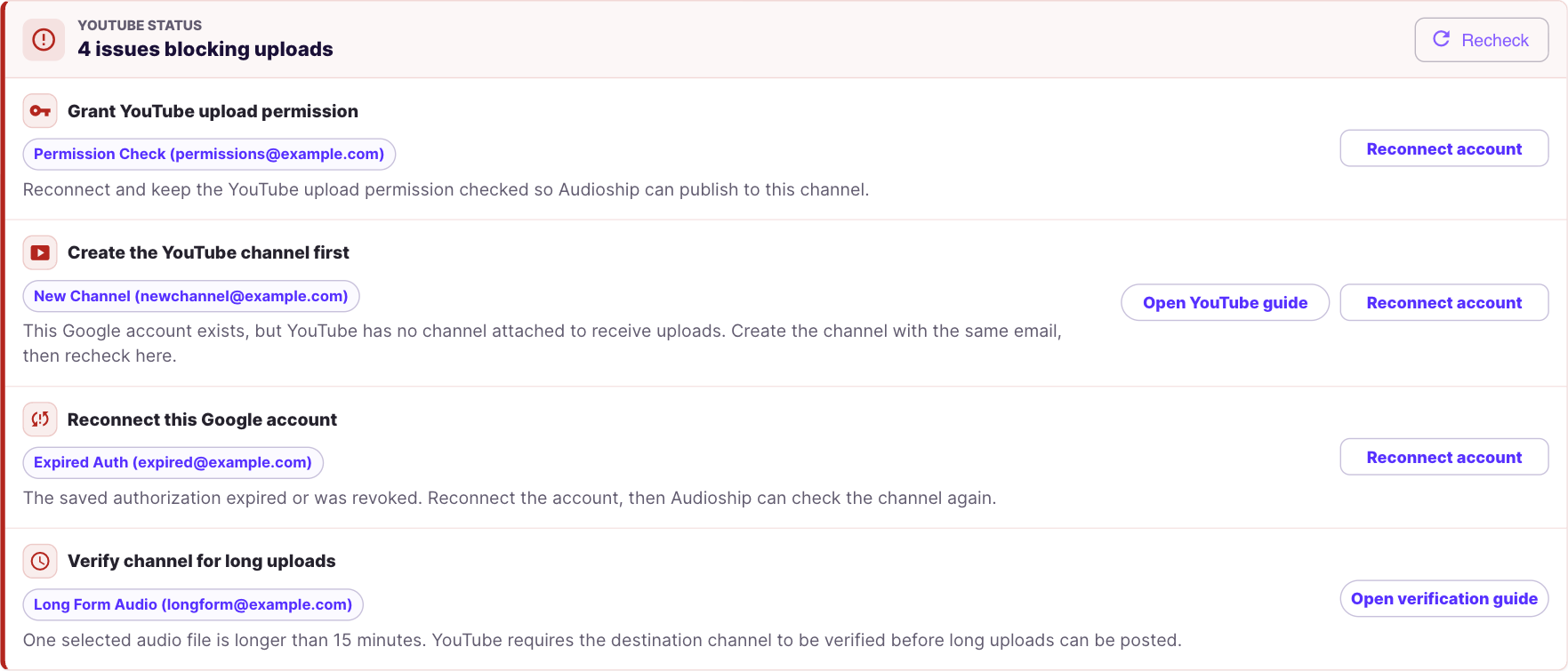
Audioship checks selected YouTube channels before publishing. If a warning appears, fix it before submitting the upload.
Grant YouTube upload permission
Reconnect the Google account and keep the YouTube upload permission checked on Google's permission screen.
Reconnect this Google account
The saved authorization expired or was revoked. Reconnect the account from Audioship, then try again.
Create the YouTube channel first
The Google account exists, but YouTube has no channel attached to receive uploads. Use YouTube's channel creation guide, then return to Audioship and select Recheck.
YouTube suspended this account
YouTube rejected access to the selected account. Audioship cannot publish to that channel until YouTube restores access. After reinstatement, reconnect and recheck.
Verify channel for long uploads
If a selected audio file is longer than 15 minutes, YouTube requires the destination channel to be verified for long uploads. Follow YouTube's long upload verification guide, then return to Audioship and recheck.
See YouTube upload limits for the difference between channel verification, daily caps, and your Audioship plan.