
If Publish to YouTube does not work, Audioship is usually blocking the submit to prevent a failed upload.
Common blockers
- No audio file or podcast draft has been added.
- No destination channel is selected in Pick YouTube channel for upload.
- An audio file is still uploading to Audioship.
- Your selected drafts exceed your plan's monthly upload count or maximum video length.
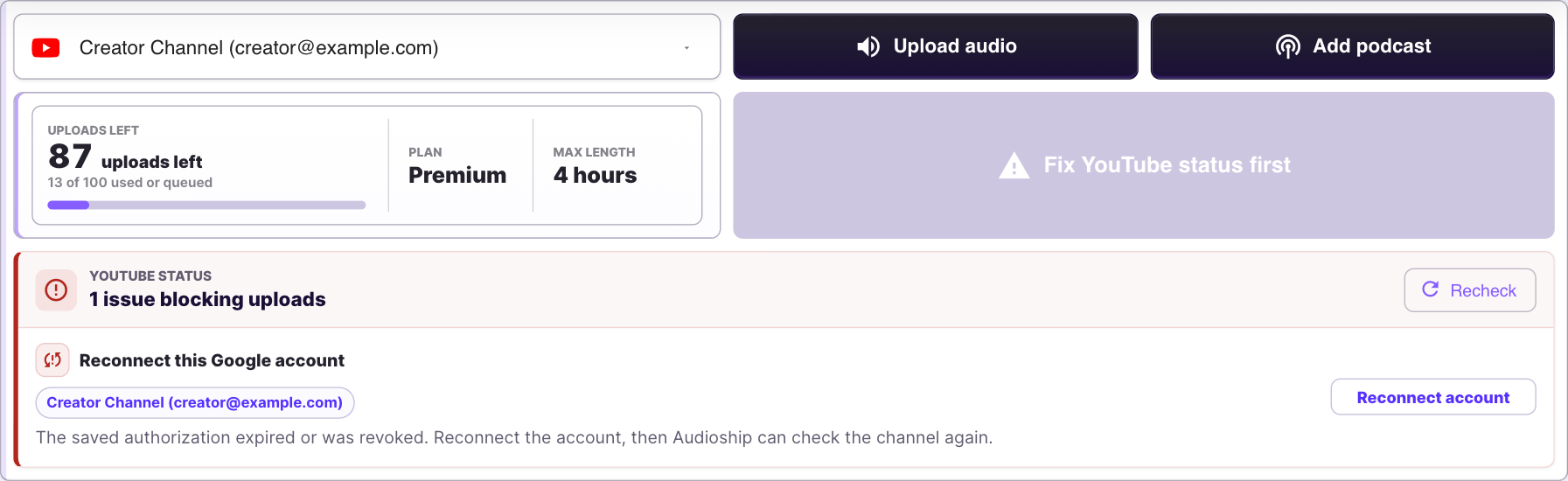
- A selected YouTube channel has a status warning that must be fixed first.
- A required title or scheduled publish date is missing.
What to do
- Wait for all audio upload progress to finish.
- Select at least one YouTube channel.
- Fix any YouTube status warnings or use Recheck after fixing them.
- Reduce the number or length of drafts, or upgrade from Pricing.
- Open each draft and check title, privacy, and schedule fields.